Skill Document
Built-in U2-ASR, U2-TTS, U2-TTS-Clone, U2-OCR, and U2-OCR-Med capabilities are provided. You only need to add the corresponding model Skill in your AI tool to quickly invoke these services without integrating each model API separately.
Preparation
Get configuration credentials
Two usage modes are supported, and the credential acquisition method differs for each.
- API Key
- Format: sk-xxxxx
Go to API Key Management to create an API Key
- API Key
- Format: tp-xxxxx
After subscribing successfully, go to Subscription Management to get the dedicated API Key
Configure model Skill
Click the links below to open the corresponding Skill pages. You can install each skill via chat or the command line. After installation, the skill will guide you through the related model configuration.
Configuration example
Using the U2-ASR model Skill as an example, click Install Now for U2-ASR in the table above. The page will jump to the `u2-asr-pro` skill page in U2 SkillHub. Copy the following content to your AI tool.
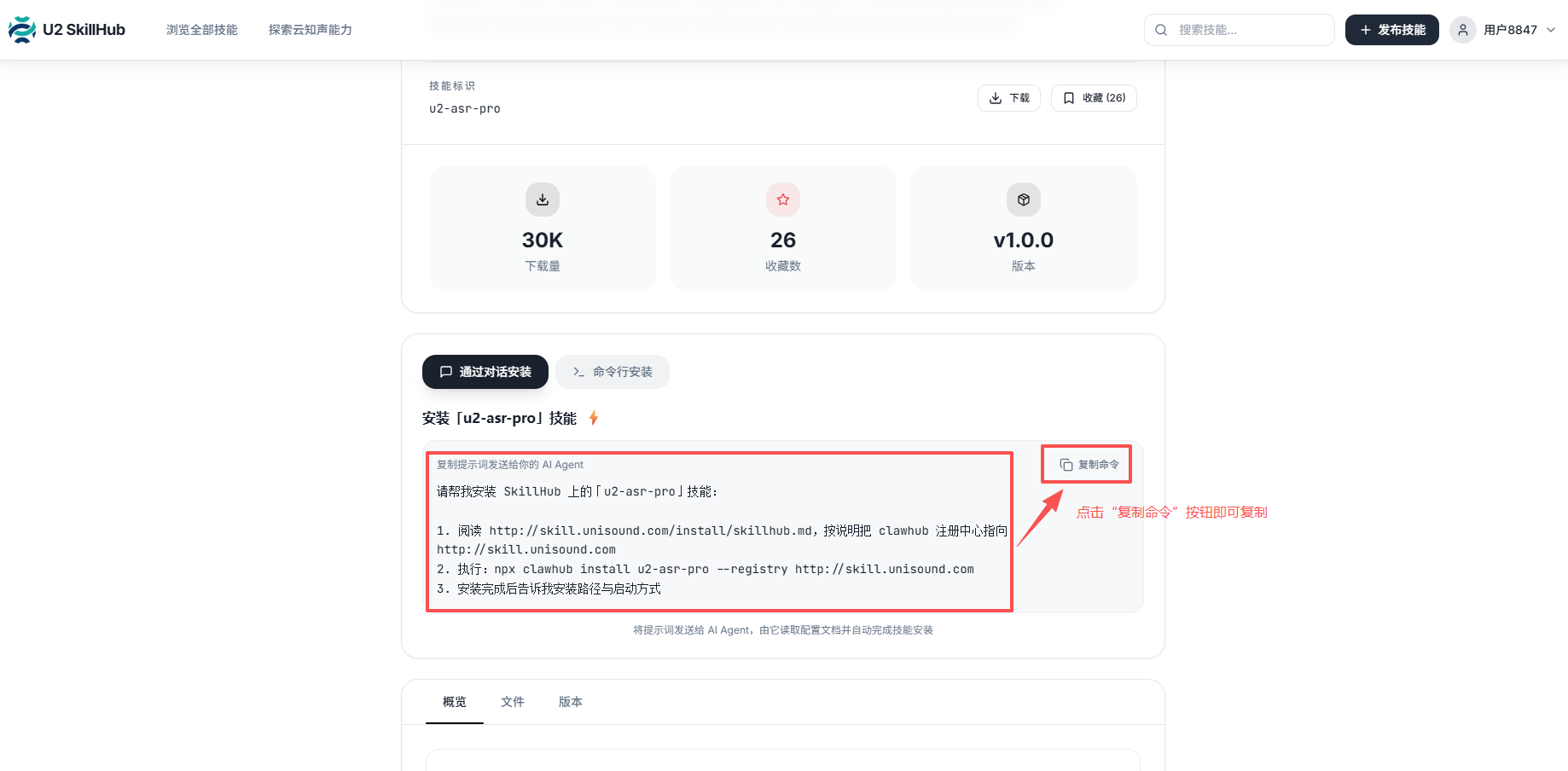
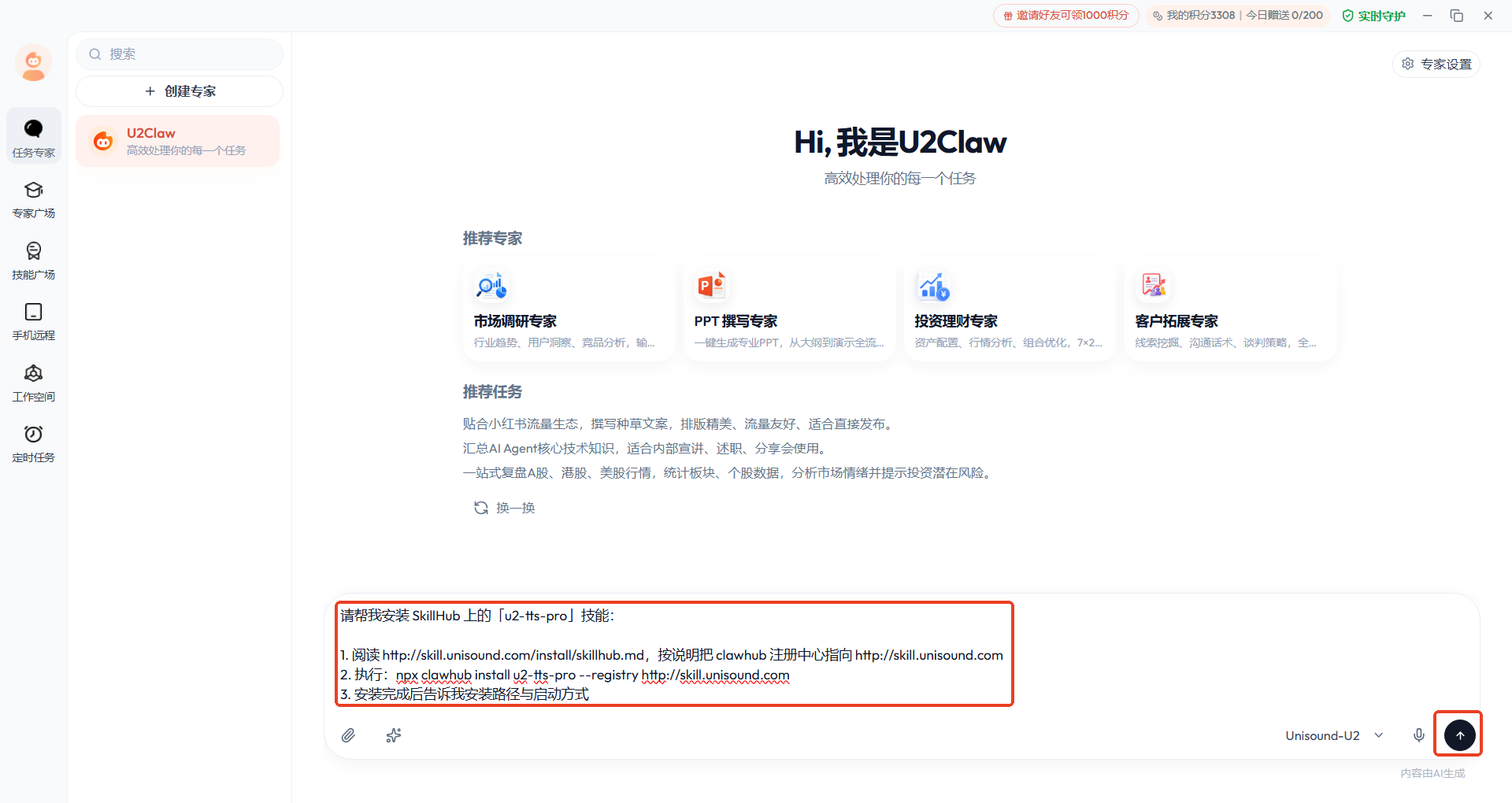
Your AI tool will automatically install this skill into your local environment.
After installation, your AI assistant will prompt you on how to use the skill. You need to send your Token Hub API KEY to it, for example: "Help me configure the API KEY, my API Key is xxxxxx".
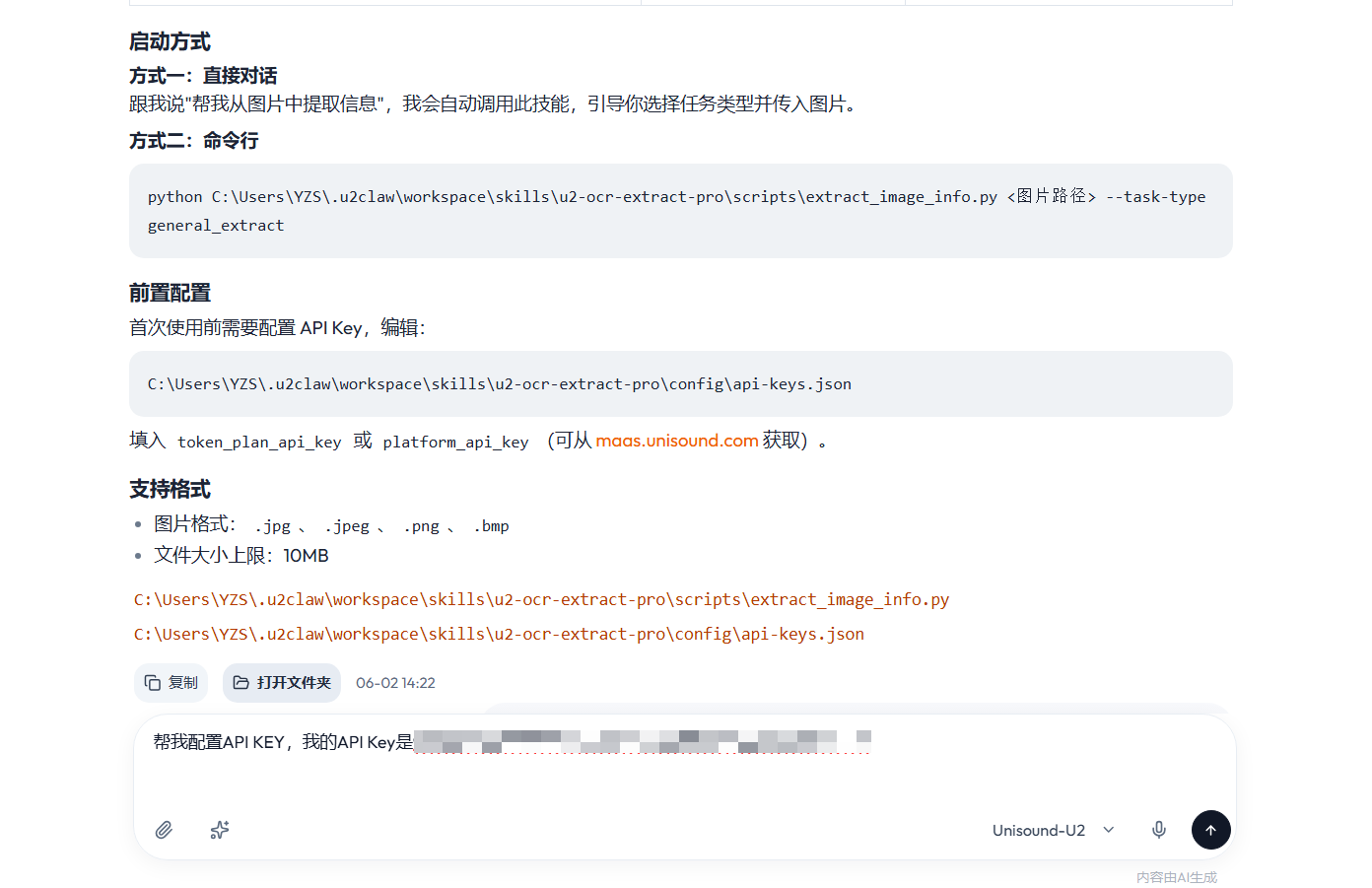
Once the API Key is configured, you can use Unisound model capabilities directly through conversation.