Pi Coding Agent
Pi Coding Agent is a lightweight CLI AI coding assistant. Configure it to use Unisound MaaS models with pay-as-you-go or U Plan.
1. Preparation
Before connecting an AI tool, complete the following preparation steps.
1. Get an API Key
The platform supports pay-as-you-go and U Plan. Credentials differ by billing mode:
- Base URL OpenAI-compatible: https://maas-api.unisound.com/v1 Anthropic-compatible: https://maas-api.unisound.com/anthropic
- API Key
- Format: sk-xxxxx
Go to API Key Management to create an API Key
- Base URL OpenAI-compatible: https://maas-api.unisound.com/v1 Anthropic-compatible: https://maas-api.unisound.com/anthropic
- API Key
- Format: tp-xxxxx
After successfully subscribing to U Plan, go to Subscription Management to get your dedicated API Key
Pay-as-you-go supports all modalities, including text, speech, and vision.
A plan-exclusive Key is for plan quota. It may exist before paid resources are available; you can use resources only when you have plan quota. See U Plan overview.
2. Install Pi Coding Agent
- Install or update Node.js (v22.19 or later).
- Run the following command in a terminal to install Pi Coding Agent.
npm install -g --ignore-scripts @earendil-works/pi-coding-agentVerify the install. A version number means success.
pi --version3. Configure credentials
Create or edit ~/.pi/agent/models.json (Windows: C:\\Users\\<username>\\.pi\\agent\\models.json) and write the following config.
Replace UNISOUND_API_KEY with your API Key.
{
  "providers": {
    "unisound": {
      "baseUrl": "https://maas-api.unisound.com/v1",
      "api": "openai-completions",
      "apiKey": "UNISOUND_API_KEY",
      "models": [
        {
          "id": "u2-flash",
          "name": "U2-Flash"
        }
      ]
    }
  }
}
To adjust context and output limits, add contextWindow and maxTokens on the model using the target model docs.
See Preparation for how to obtain an API Key and its format.
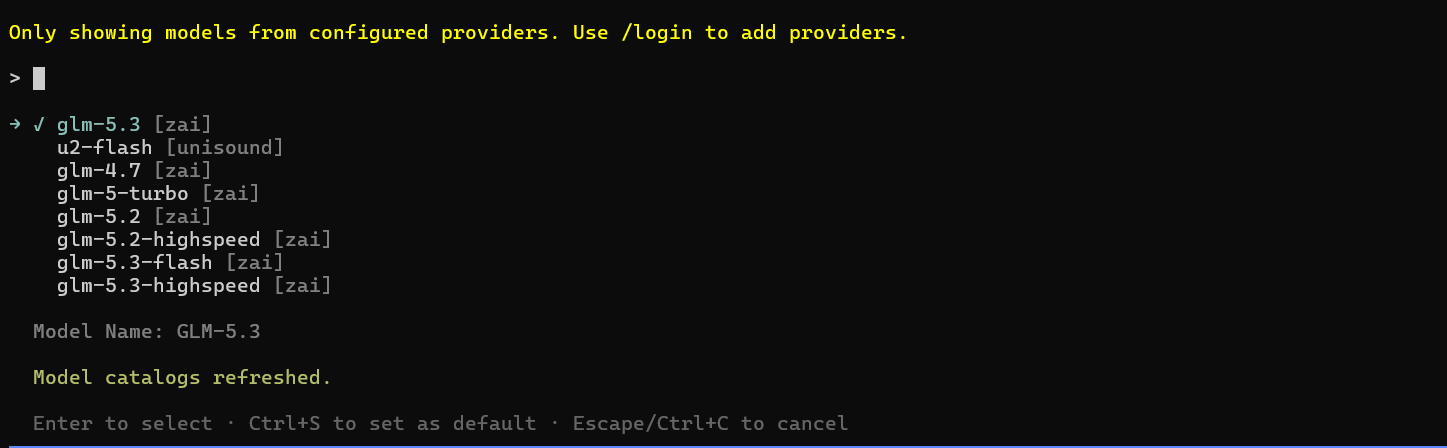
Save the file, run pi in your project, then use /model (or Ctrl+L) to pick a unisound model. Press Ctrl+S to save it as default.
4. Quick access to capability models
We provide U2-ASR, U2-TTS, U2-TTS-Clone, and U2-OCR capabilities. Add the matching model Skill in Pi Coding Agent to call these services without integrating each model API separately.
Open a Skill page below to install via chat or CLI. After installation, the Skill guides you through model configuration.