Qwen Code
Qwen Code is Alibaba's CLI AI coding assistant. Configure it to use Unisound MaaS models with pay-as-you-go or U Plan.
1. Preparation
Before connecting an AI tool, complete the following preparation steps.
1. Get an API Key
The platform supports pay-as-you-go and U Plan. Credentials differ by billing mode:
- Base URL OpenAI-compatible: https://maas-api.unisound.com/v1
- API Key
- Format: sk-xxxxx
Go to API Key Management to create an API Key
- Base URL OpenAI-compatible: https://maas-api.unisound.com/v1
- API Key
- Format: tp-xxxxx
After successfully subscribing to U Plan, go to Subscription Management to get your dedicated API Key
Pay-as-you-go supports all modalities, including text, speech, and vision.
A plan-exclusive Key is for plan quota. It may exist before paid resources are available; you can use resources only when you have plan quota. See U Plan overview.
2. Install Qwen Code
- Install or update Node.js (v22.19 or later).
- Run the following command in a terminal to install Qwen Code.
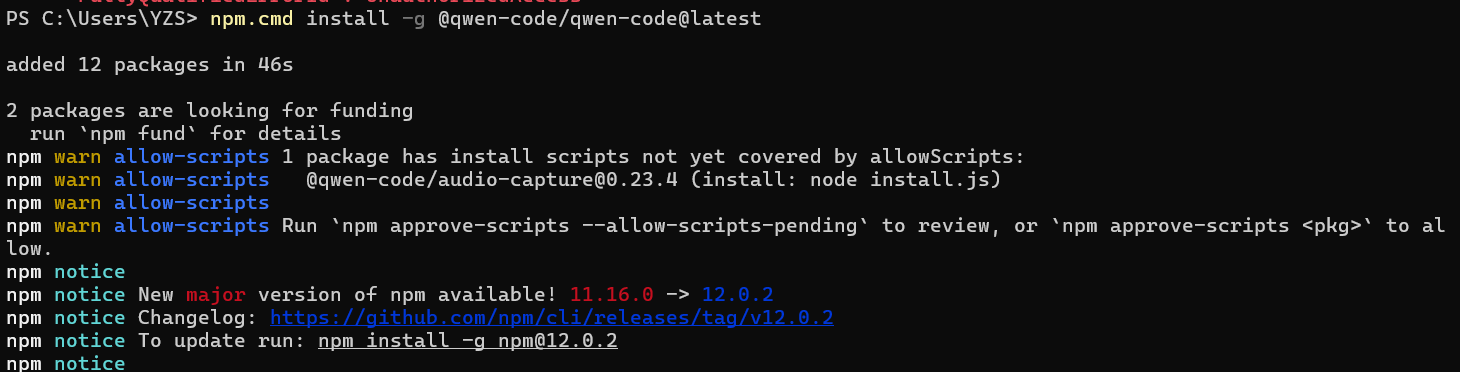
npm.cmd install -g @qwen-code/qwen-code@latestVerify the install. A version number means success.
qwen --version3. Configure the target model
Method 1: Edit the config file (recommended)
Create or edit ~/.qwen/settings.json (Windows: C:\\Users\\<username>\\.qwen\\settings.json), write the following config, and save — no sign-in required.
Replace UNISOUND_API_KEY with your API Key and '<'MODEL_ID'>' with the target Model ID.
{
  "modelProviders": {
    "openai": [
      {
        "id": "<MODEL_ID>",
        "name": "<MODEL_ID>",
        "baseUrl": "https://maas-api.unisound.com/v1"
      }
    ]
  },
  "env": {
    "OPENAI_API_KEY": "UNISOUND_API_KEY"
  },
  "security": {
    "auth": {
      "selectedType": "openai"
    }
  },
  "model": {
    "name": "<MODEL_ID>"
  }
}
model.name must match the provider id as the default model. API Key comes from env.OPENAI_API_KEY or the same environment variable.
Then run:
setx UNISOUND_API_KEY "UNISOUND_API_KEY"For example:
setx UNISOUND_API_KEY "sk-xxxxxxxx"Afterwards, start Qwen Code:
qwenMethod 2: Environment variables
Set the following environment variables in a terminal:
macOS/Linux:
export OPENAI_API_KEY="UNISOUND_API_KEY"
export OPENAI_BASE_URL="https://maas-api.unisound.com/v1"
export OPENAI_MODEL="u2-flash"
Windows:
$env:OPENAI_API_KEY = "UNISOUND_API_KEY"
$env:OPENAI_BASE_URL = "https://maas-api.unisound.com/v1"
$env:OPENAI_MODEL = "u2-flash"
Add the commands to ~/.bashrc or ~/.zshrc (or system env vars on Windows) for persistence.
See Preparation for how to obtain an API Key and its format.
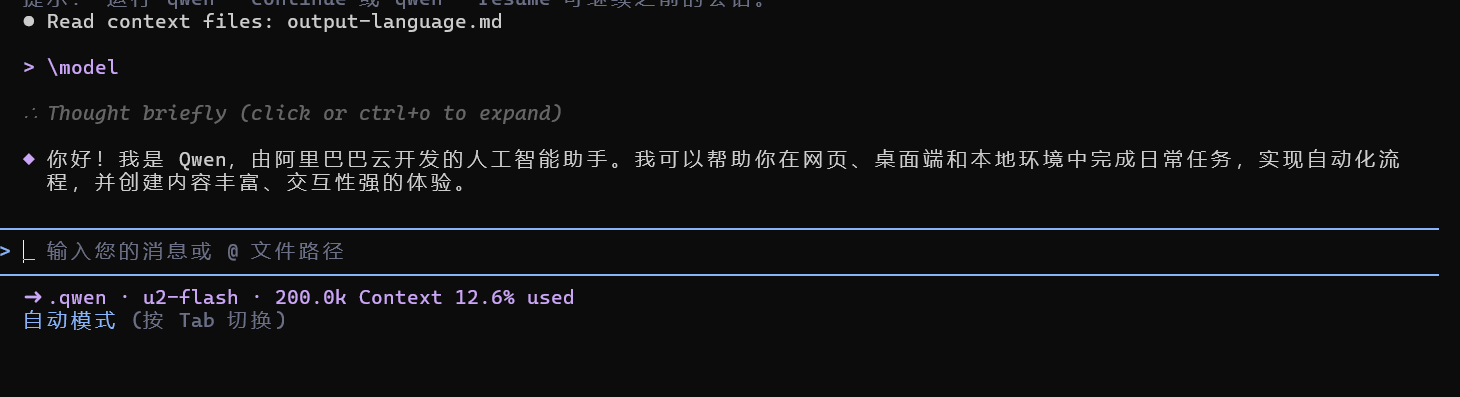
Run qwen in your project. Use /model to view and switch models.
4. Quick access to capability models
We provide U2-ASR, U2-TTS, U2-TTS-Clone, and U2-OCR capabilities. Add the matching model Skill in Qwen Code to call these services without integrating each model API separately.
Open a Skill page below to install via chat or CLI. After installation, the Skill guides you through model configuration.